Wine box
On this page
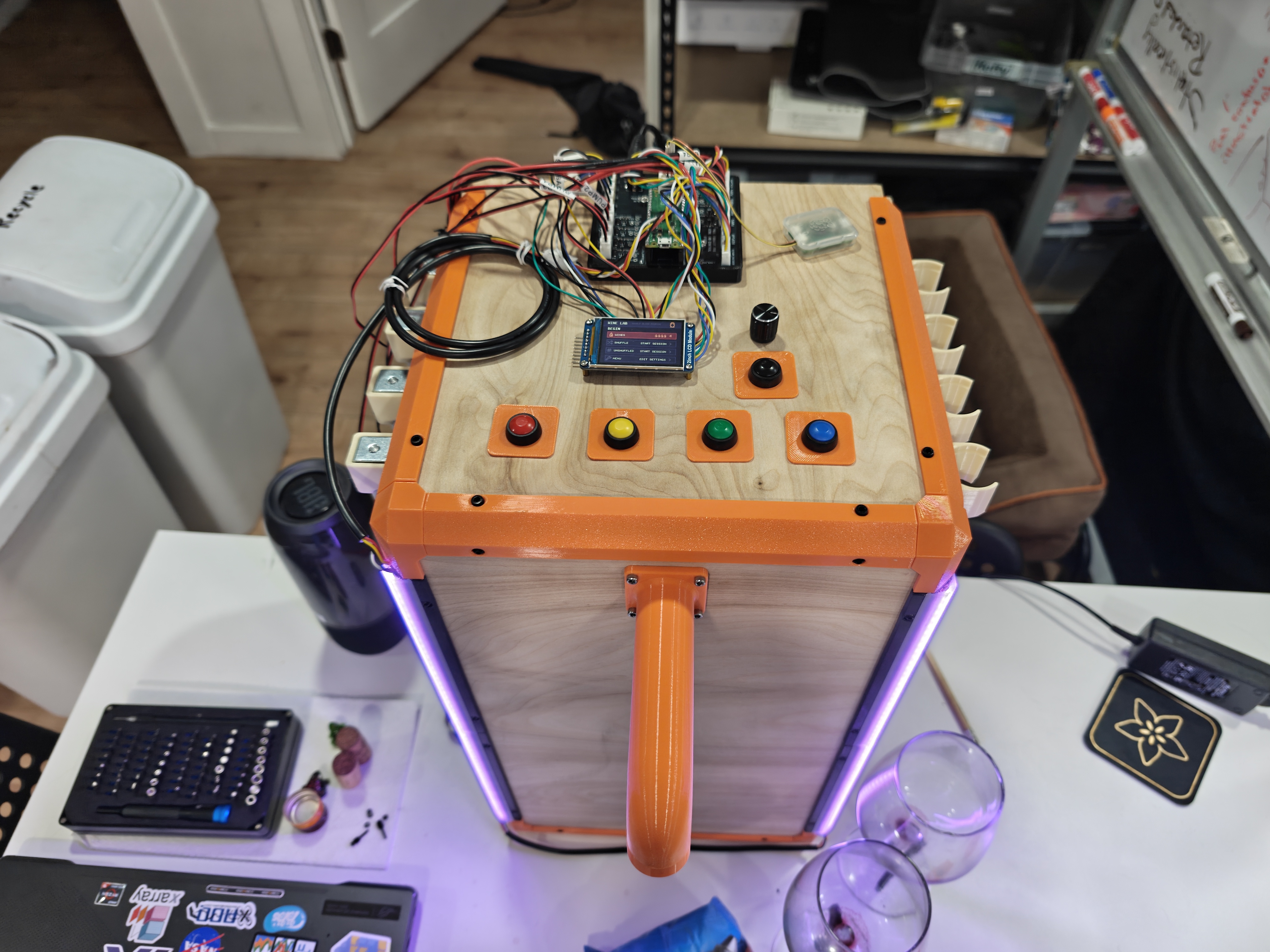
The wine box is a box to blind test wines and avoid label/cost bias.
The goal was to take 4 wine bottles of any shape and size and allow a user to load them, dispense them into a glass, taste them with some reference to make notes on (Like "A", "B", "C"), and then finally reveal which wine was which.
Some other design goals were to make it fun, totally offline, simple to use, easy to clean, cheap, and better than the previous method I was using; that being using a second person to pour and taking turns. Don't worry the second person hasn't left, we just drink (taste) simultaneously.
My idea for the dispensing mechanism was to pump air into to bottle with a straw that extends inside, so that the wine only contacts a passive tube and hopefully making it easier to clean. The first thing I did was to make a cork/stopper that could let me push air in while running a straw through to the bottom.
I started with a simple mechanism using electrical tape to check that the cheap aquarium bubbler pumps could push the wine up with a reasonable flow.
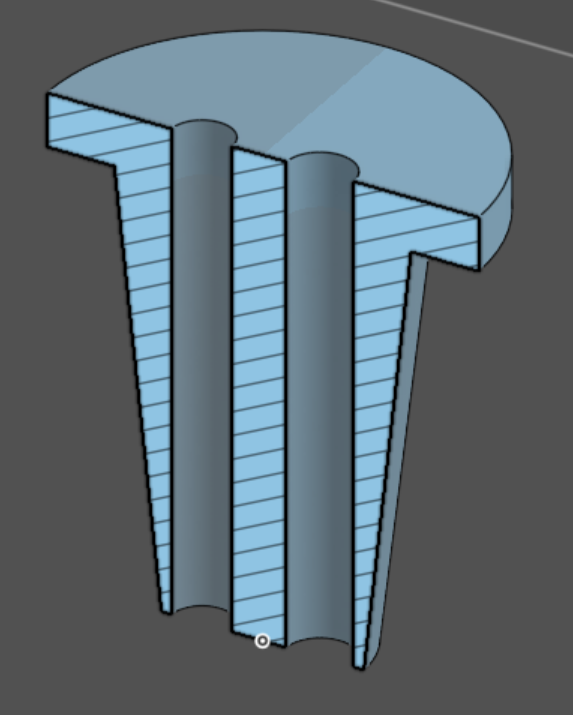
This worked and I switched to setting up a more permanent seal solution. Since my previous projects I got a job and no longer live in my parents house with a metal shop, so I am constrained by designs I can 3D print.
I wanted these to look professional and work with any sized bottle opening, so I figured my best bet was to find an existing stopper and somehow get the rubber part off. I ended up finding these on Amazon:
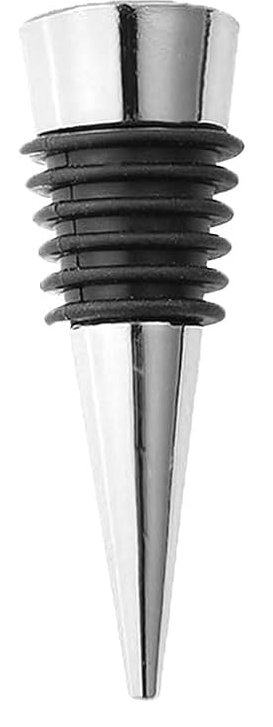
Certainly not the pinnacle of quality but I was able to remove the rubber and it worked out to less than a dollar per. Not bad.
The final (as of time of writing) design looks a little different because the outer diameter needed to be much thinner, forcing the 'straw' and air opening to be co-linear.
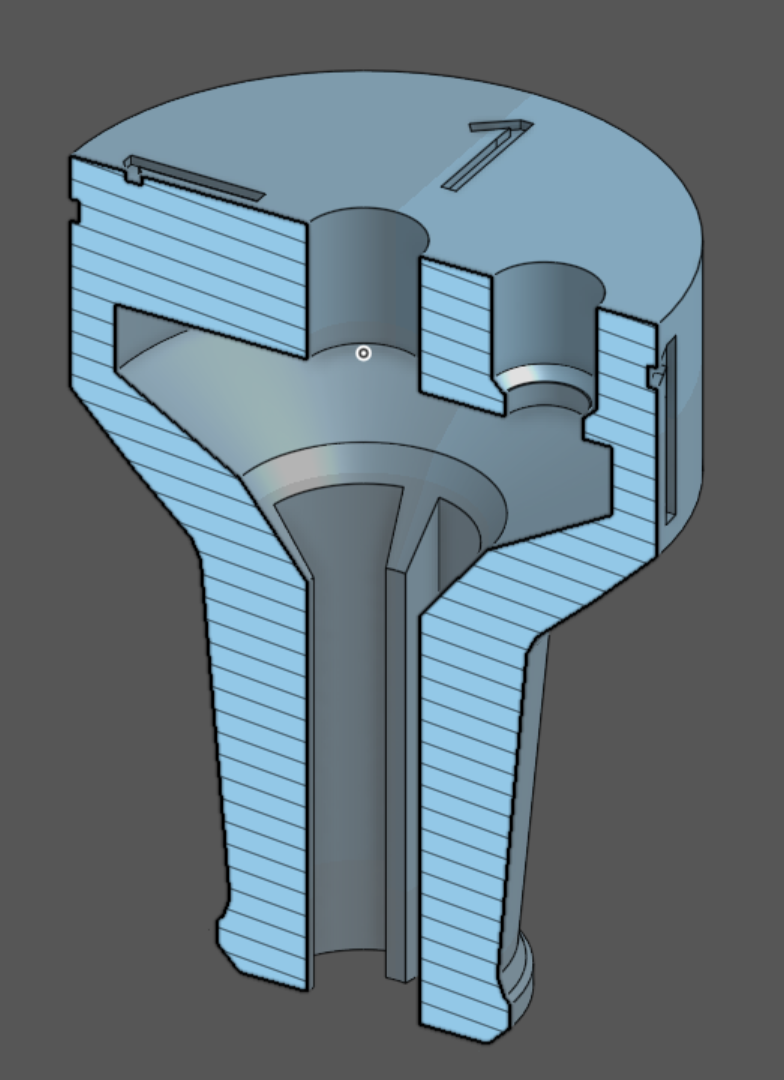
The numbers on the top will be explained later.
Electronics
Next was the electronics. I kind of picked the parts hap-hazardly, but I knew I wanted a screen, rotary encoder with switch, back button, and one button per wine. I bought the parts, and started bread-boarding.
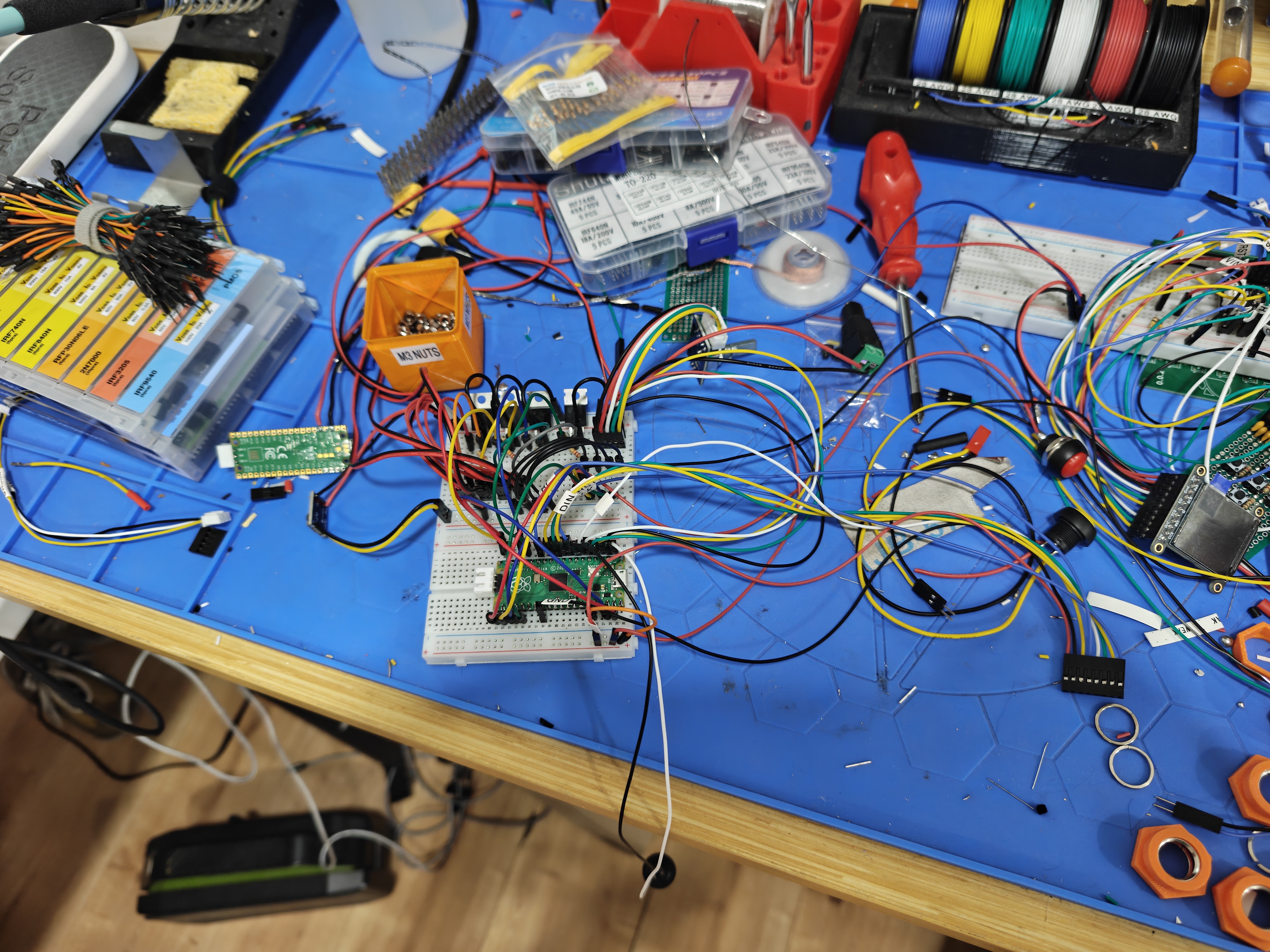
Its entirely a mess, but this was the first version. The screen and breadboard in the top right are for a different project.
The screen was whatever had the lowest shipping time and a reasonable size, the chip is the RP2040 because of it's upgrade path, and great Rust tooling. I also have more experience working with it.
The motors are just driven by whatever logic level FETs I had laying around dressed with some resistors.
This was in use until I added more peripherals and eventually made a PCB.
Firmware
This uses the Rust embedded async framework, Embassy . It is always changing but right now the repo has 3 crates. One targeting the RP2040, one for desktop simulation, and one with the underlying logic. The boundary for this shared crate is that the target must provide control snapshots (what buttons are being pressed and so on), a graphical output target, and it receives the output states (which pump should be one), and the LED status (spoiler).
The graphics were done with embedded graphics, a crate that dominates the ecosystem and lets you write UIs for basically any display (including desktop though SDL). The problem I had with embedded graphics was that it does not support async. This isn't really their fault, EG (embedded graphics) itself just offers a way to turn primitives (like a line or a circle) into an iterator of what pixels to draw what color. This avoids needing a buffer. The problem is that they have not made the trait async and thus an implementer of the backend drawing mechanism had to be synchronous. This became a problem because one of the pages had a fairly elaborate animation for an MCU with no FPU, and blocking the thread for 30% of the main loop shoving a raw image over single lane SPI was a problem. Especially for an interactive animation that needed to be responsive.
I made the decision to fork it for the project, as I already had to patch it for some dependency version mismatches. This turned into forking 5 additional repos, but they were all fairly simple changes to dress things with async and .await. Only the backend itself had to be properly forked. Luckily though, Embassy already provided async DMA SPI, so I really did not do much actual engineering.
Assembly
I eventually got something working well enough that I had to stop putting off assembly.
I had been designing the CAD in the background as I worked on it, and by this point I just needed to actually start doing it.
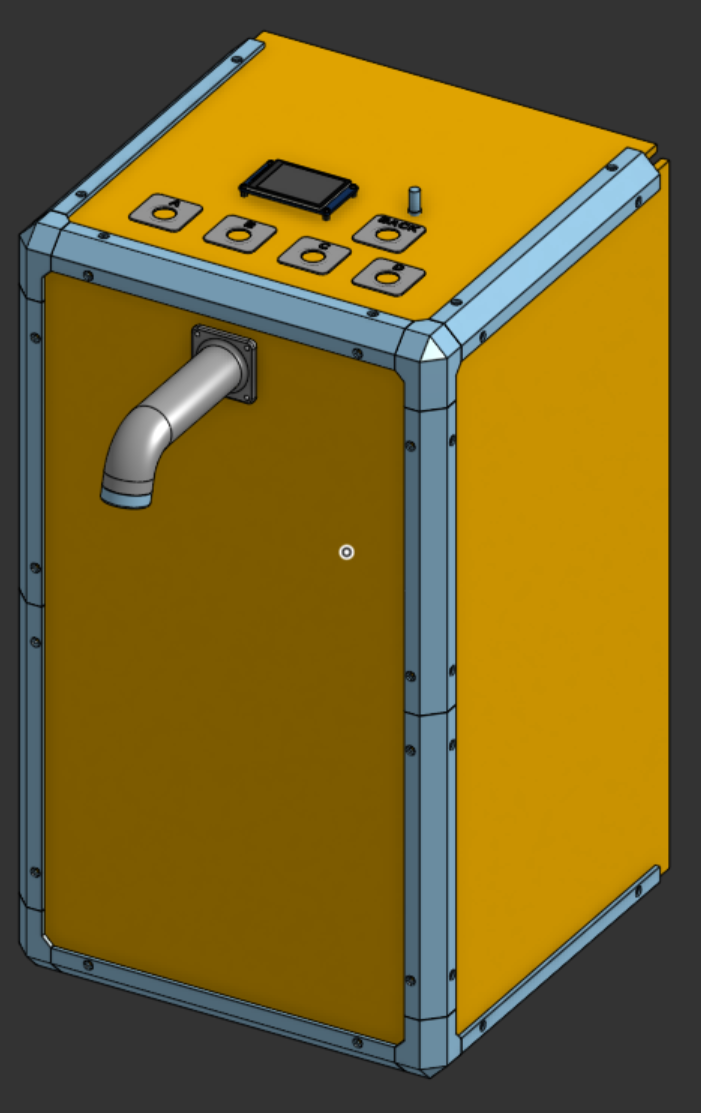
I planned on using thin plywood and 3D printed brackets to let me prototype fast, and I didn't have much of a choice in a small apartment. At this point I should mention that this was a gift my girlfriends birthday, who also lives in the apartment, so there was an additional contraint of not revealing what I was working on, using the handful of hours I had alone every week efficiently, and otherwise making every part inconspicuous. I did soon finish printing and cutting all the wood and drilling the holes with the help of some printed jigs, and I was left with something that looked mostly like a box.
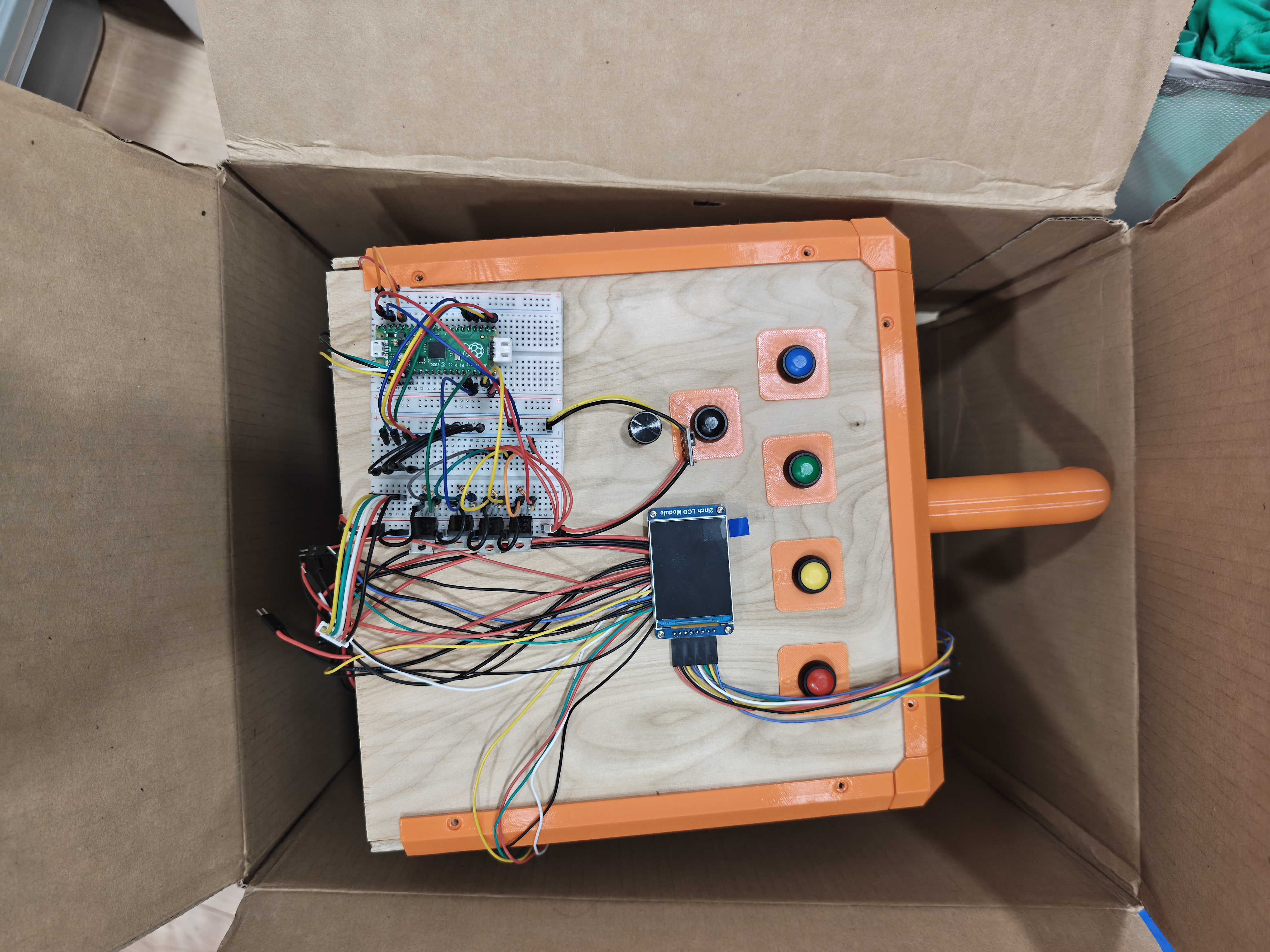
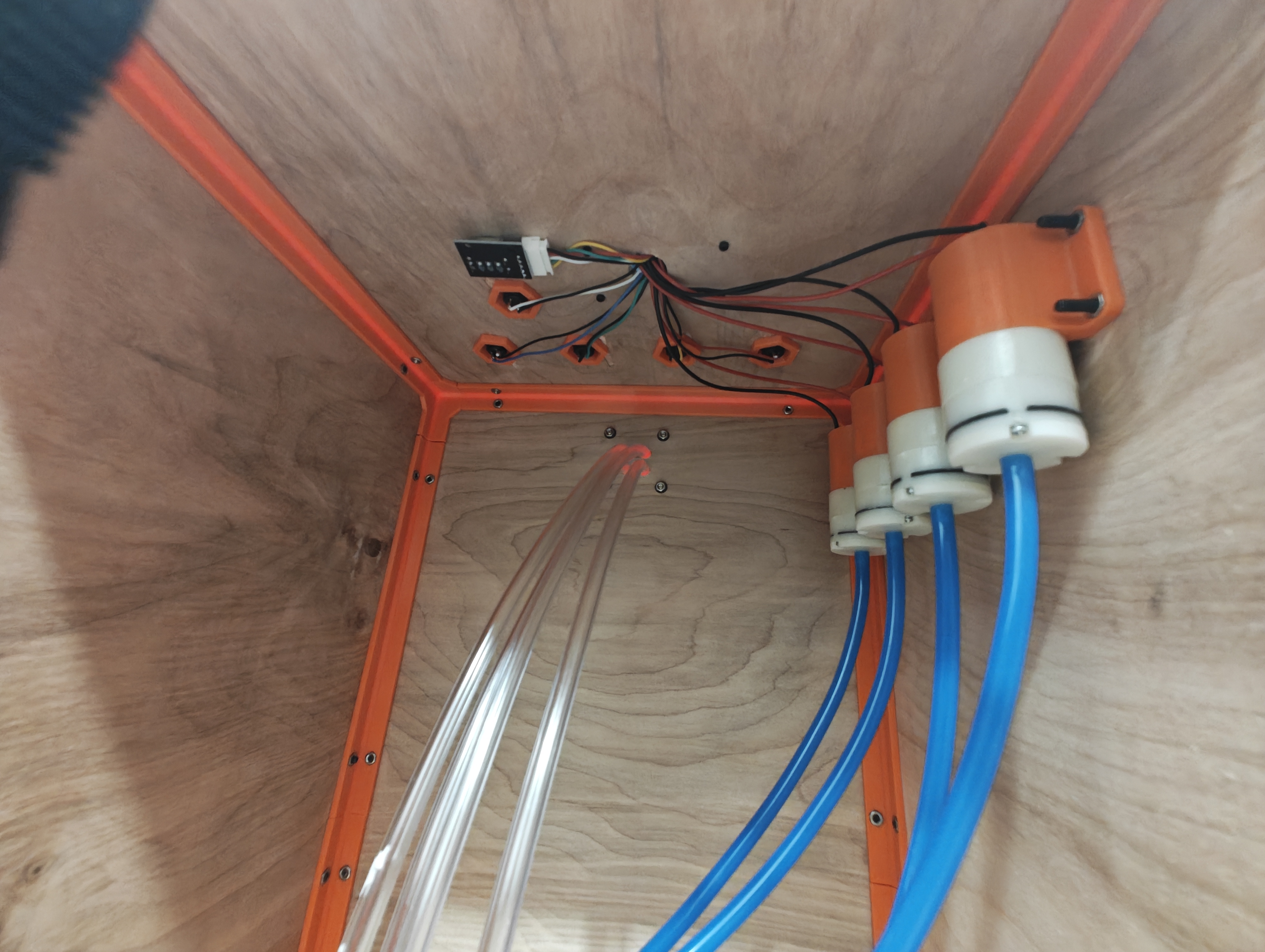
At this point I was able to hook everything up and do some tests. To my surprise it actually worked! There were a couple bugs like the encoder being quite unreliable, but it did work and I was able to present the project to avoid hiding it.
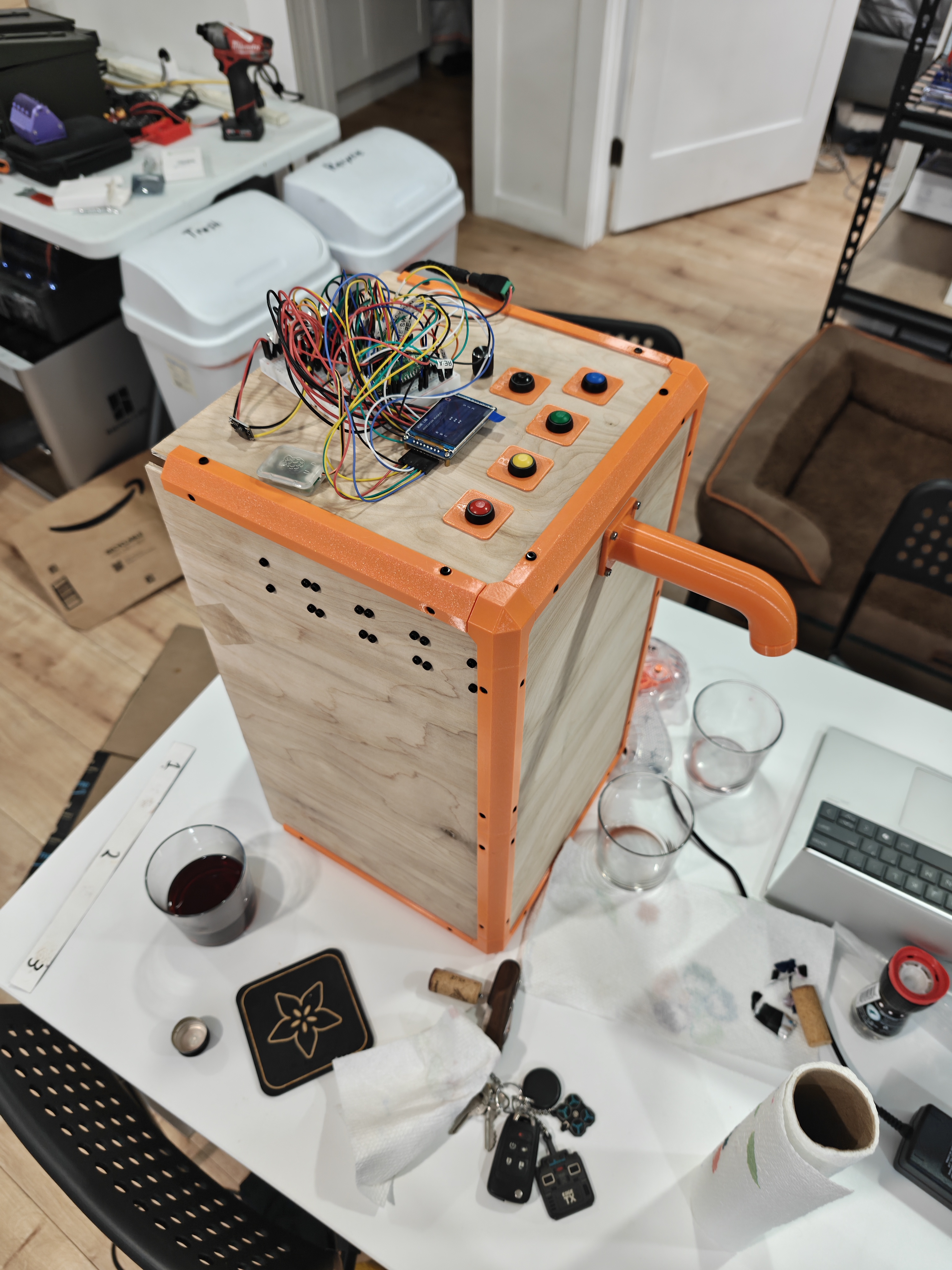
However I was not done.
I had a couple tasks remaining:
- Small bugs like rotary encoder jitter
- Ability to pour all bottles at once for rinsing
- An animation to convince the user that the randomness is not seeded by clock cycles since boot when "shuffle" was clicked.
- PCB
- Pressure release after pour.
- It turns out that once you start the pour, it will continue siphoning out for some time after the pump stops. I had not noticed this in my initial concept test unfortuantely, and I would need some way to releive the pressure after a pump stops.
- No where to put the stoppers when not in use.
Most of the bugs were fixed that day, the rotary encoder jitter was just from a bad pull-up configuration on the GPIO, and the rinse option + menu was easy to develop on the simulated desktop.
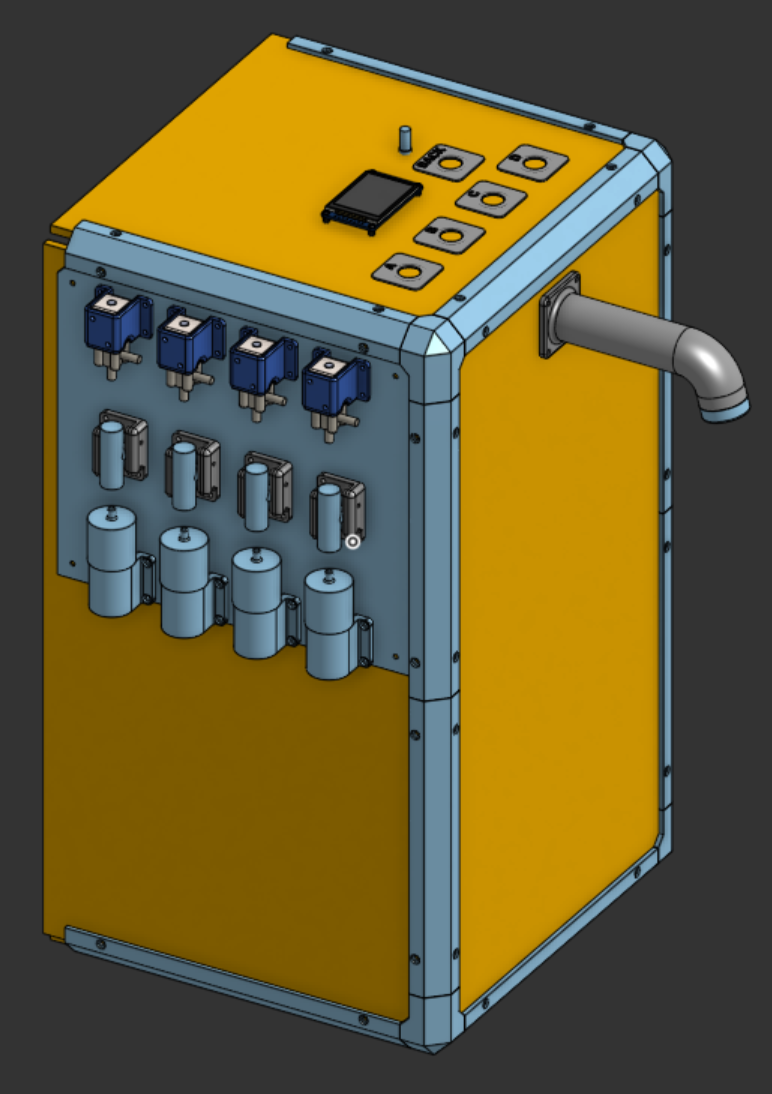
The pressure release was more involved. I actually struggled too find a cheap solenoid that was not pilot-operated. These have a minimum pressure of around 20 psi, but my system will have less than 0.0016 furlongs-wine — Thats around 138kPa required by the solenoid to my 3kPa for you pedantic Europeans.
Eventually I found some dubious quality ones that seem to work and drew up some mounts:
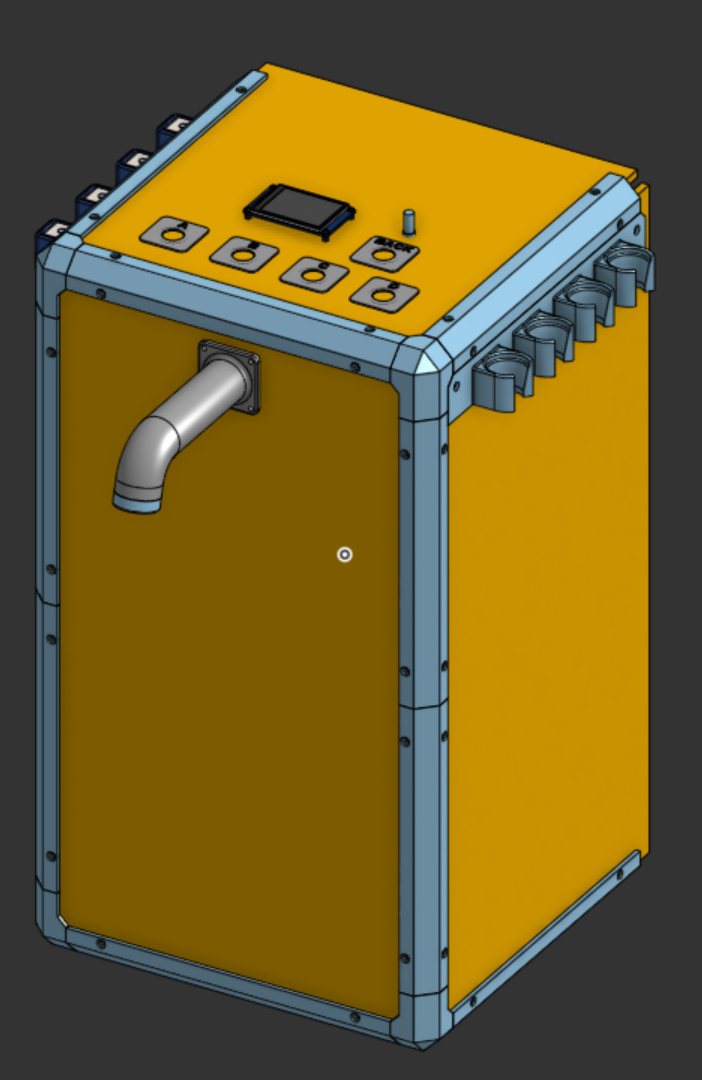
I also added the stopper hooks at the same time:
Heres developing the code for the pressure release:
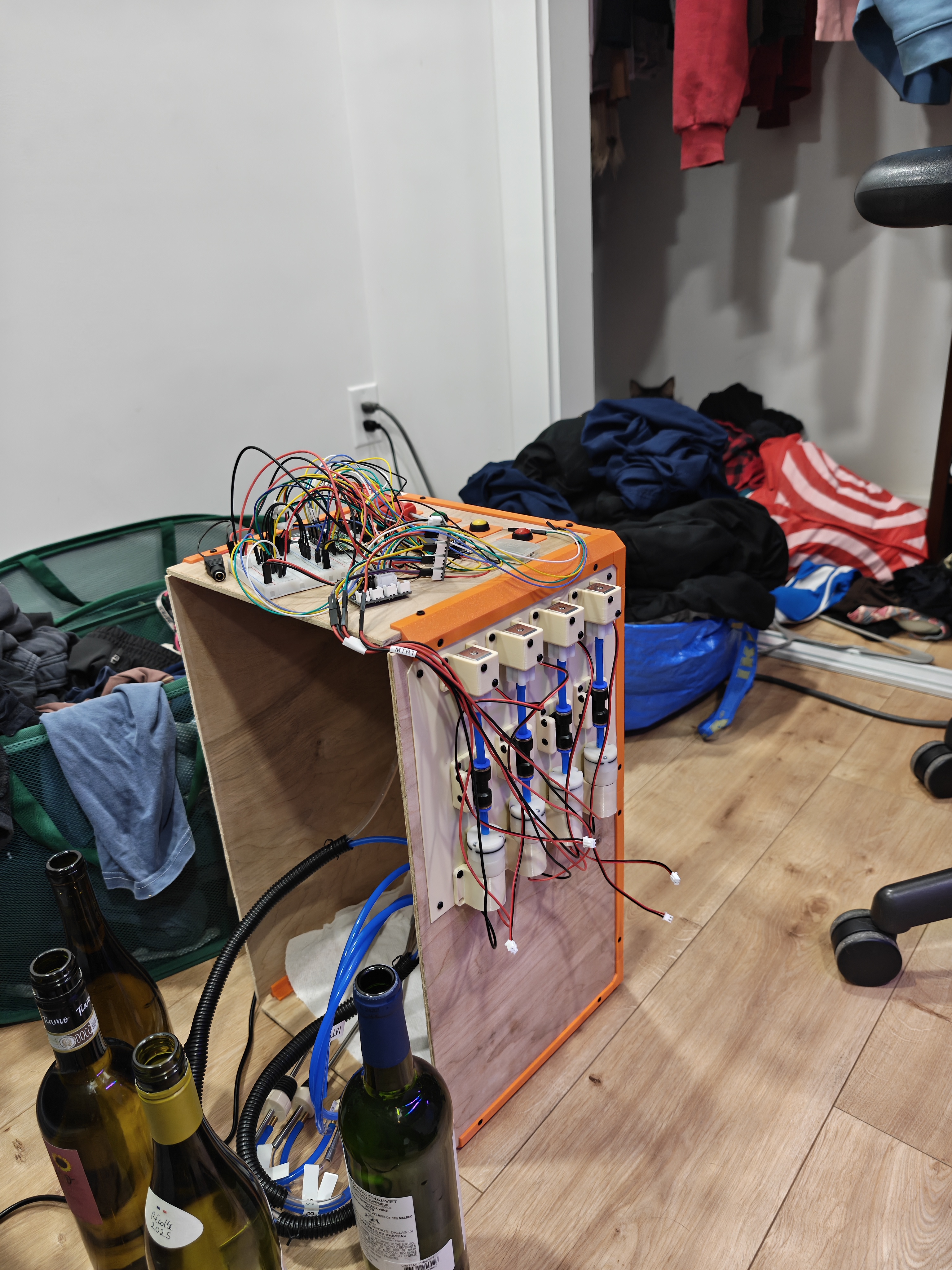
Sorry for the messy picture but theres a cat too.
Finally there was the PCB and shuffle animation.
The shuffle animation is available to read commit by frantic commit on Gitlab, but it turned into an excuse to do some more work in firmware and it pushed me to do better there.
The idea was originally to animate a fluid simulation in a rotating bottle, which soon became obviously too hard for me without hardware float support. A unique challenge of this setup is that even if you spend 100% of your clock cycles painting pixels to the display, you can't hit 30fps. There are just more pixels than time to send them all in 1/30 seconds. So you need to be thoughtful about knowing what was already on screen and what re-draws can be skipped. This makes fluid simulation a lot trickier, and more importantly, I can't just use an existing library. #TODO Improve this part. I settled on just the spinning bottle until then, but even drawing a polyline to a buffer was too slow. I
PCB
Finally, the PCB.
I am really not a very confident electrical engineer, and for pretty good reason. If I can't reference a suggested circuit in the datasheet, I will not know. My PCBs are more like inlining dev-modules than proper circuits. But inlining dev-modules is enough for what I can imagine.
I wanted to make every board as a module so that I could still develop quickly and also minimize the cost of a failed design.
I started with a motor output driver to drive the pumps and solenoids, which was just a FET, back-EMF Schottky, and some resistors for the FET.
Next the 3.3v regulator from 12v. Luckily, I was able to reference a module from Adafruit on this. I feel bad about stealing their work, but I bought the module and I needed it to be on one main board eventually.
Finally, the complete board. On this one I noticed while fanning out the GPIO that I had not used one of the GPIOs and had an annoying uneven gap where the connectors go, so I broke it out in the form of a Neopixel header. RGB LED strip. (I actually placed it 0.5mm off...)
I worked on the code and mounting for this while waiting for the board.
LEDs
I designed some grooves and a snap on semi-transparent cover to add some diffusion, and that was it. (Many iterations of getting the snap fit right)
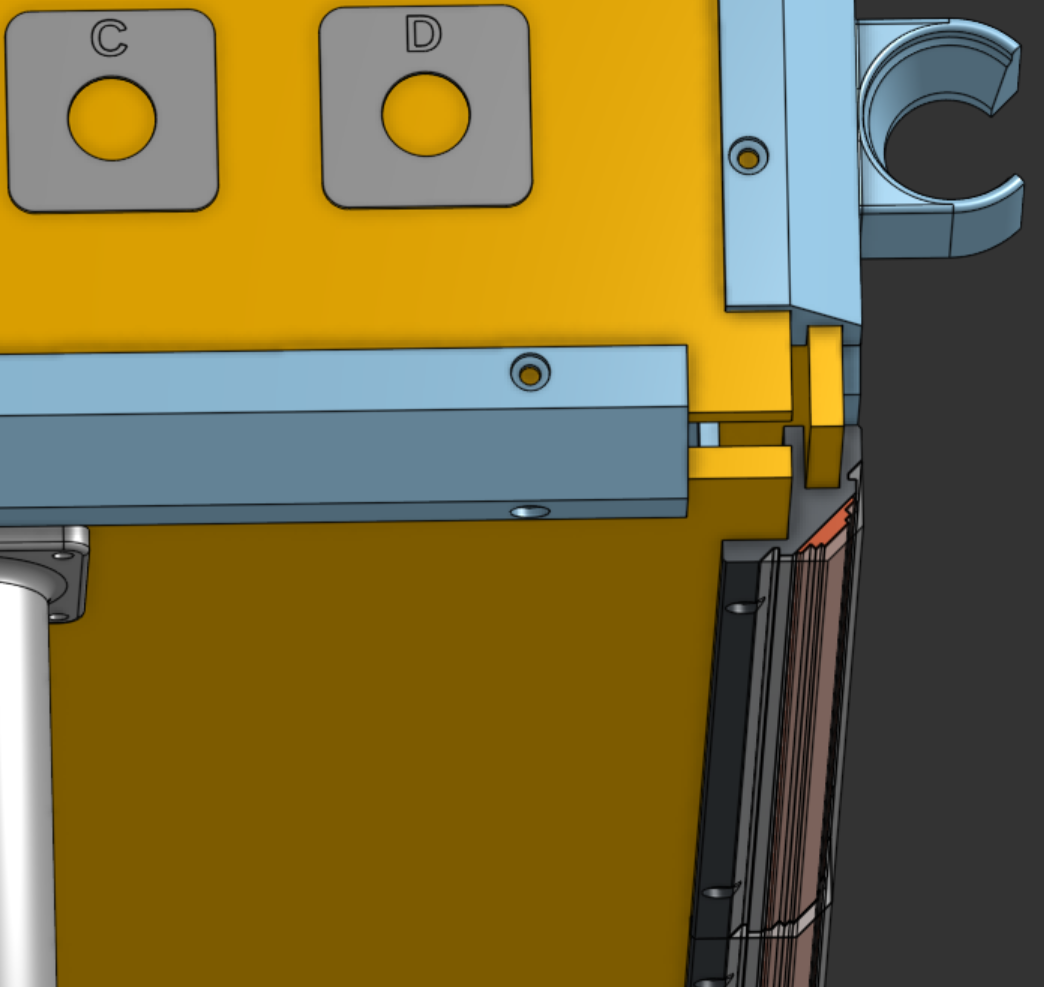
The software wasn't too bad. I had deliberately kept the machine state strongly typed so in the same way I could always turn state into a frame, I could also turn it into an array of RGB values. This was quite simple and pretty tame for all but one case, where fireworks would animate the reveal of which wine was which. (But in 1D so less dramatic). These were also async and DMA so it doesn't affect performance much.
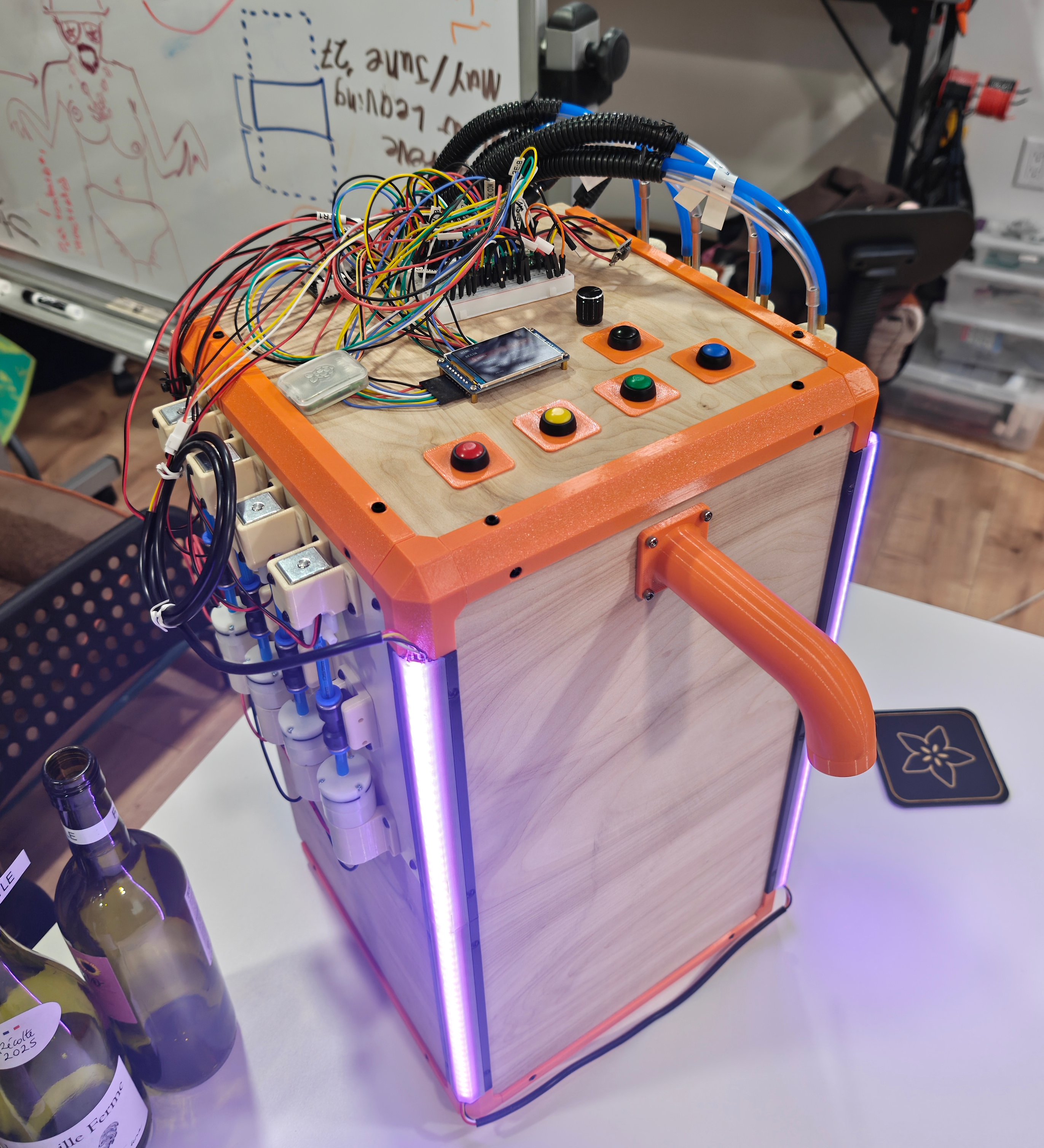
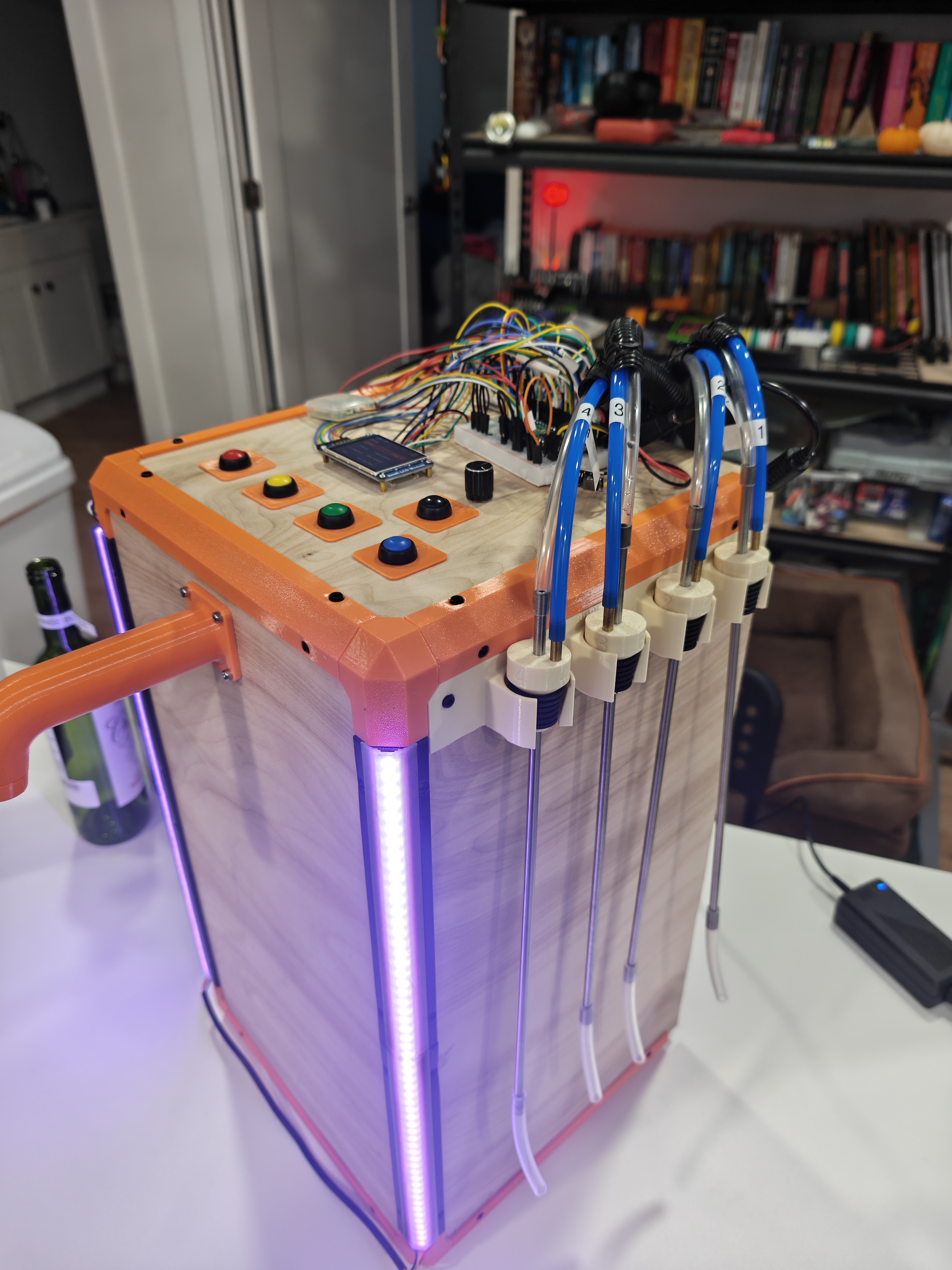
Done
Done is a strong word. I'm stuck in Ohio and can't continue. But at least I can write this.